Real-Time Ray Tracing: The Tech Revolutionizing PC Graphics
Ray tracing no PC transforms how games and visuals look in real-time, bringing lifelike lighting and reflections to your screen.
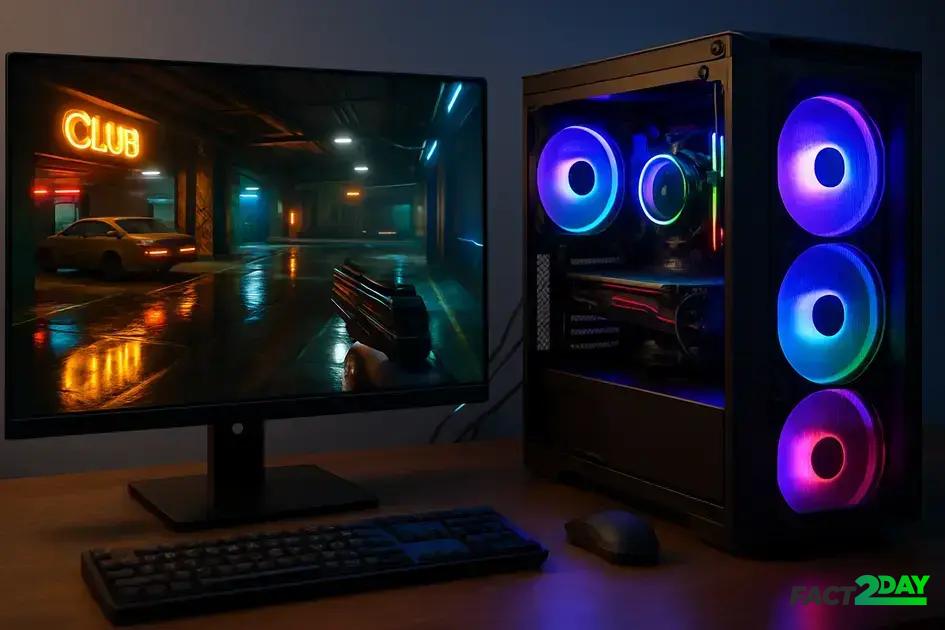
Ray tracing on PC uses advanced GPUs to simulate real-time lighting and reflections, enhancing gaming visuals with realistic shadows and detailed effects while requiring powerful hardware and optimized settings.
Have you heard about Ray tracing no PC and wondered why it’s making such a buzz in gaming and graphics? It’s a tech that simulates light like never before, promising visuals that can truly impress. Curious to see how it changes the way games look and feel?
what is ray tracing and how it works
Ray tracing is a rendering technique that simulates the way light interacts with objects in a virtual environment, creating highly realistic images. Unlike traditional methods that approximate lighting, ray tracing traces the path of light rays as they bounce off surfaces, capturing reflections, shadows, and refractions precisely.
How ray tracing works
When a ray of light hits an object, the algorithm calculates how it reflects, refracts, or absorbs based on the material properties. It follows multiple rays, reaching the virtual camera to generate a final pixel color. This process mimics real-world physics, resulting in natural lighting effects.
Core components
The technique involves key steps like ray casting, intersection testing, and shading. Ray casting determines the path from the eye to objects, intersection testing finds where rays meet surfaces, and shading computes the light’s impact on colors and textures.
The precision of ray tracing enables effects like soft shadows, ambient occlusion, and realistic reflections that traditional rasterization can’t easily reproduce. This is why ray tracing is gaining traction for PC graphics, where visual quality matters deeply.
advantages of ray tracing in pc gaming
Ray tracing offers several advantages that have significantly elevated PC gaming visuals. One major benefit is the enhanced realism achieved through dynamic lighting and accurate shadows. Games look more immersive because light behaves like it does in the real world, reacting naturally to objects and environments.
Improved lighting quality
Traditional rendering often uses approximate lighting models, but ray tracing simulates how light rays truly travel. This means reflections on water, glass, and metals are detailed and accurate. Shadows are softer and respond to multiple light sources, giving scenes more depth and life.
More realistic reflections and refractions
Ray tracing allows complex reflections like those seen in mirrors or shiny surfaces, where you can see other objects reflected clearly. Refractions make transparent materials such as water or glass behave realistically, bending light and adding to the authenticity of the scene.
Better ambient occlusion
Ambient occlusion improves the perception of space by darkening corners and crevices where light is naturally blocked. Ray tracing calculates these effects precisely, contributing subtle shadows that enhance the overall visual quality.
As a result, players experience worlds that feel more believable and engaging. Although ray tracing requires significant computing power, the visual payoff is clear, making it a favored feature in cutting-edge PC games.
hardware requirements for real-time ray tracing
Real-time ray tracing demands significant hardware power to render complex lighting effects smoothly. The main component required is a ray tracing-capable GPU, usually from modern graphics card series like NVIDIA’s RTX or AMD’s RX 6000 lineup. These GPUs feature dedicated cores designed specifically for ray tracing calculations.
Key hardware elements
Besides the GPU, having a powerful CPU is important for overall system performance. A multi-core processor helps manage the game’s physics, AI, and other computations alongside ray tracing tasks.
Memory and storage considerations
At least 16GB of RAM is recommended to support the data load, while fast storage like SSDs reduces loading times and improves texture streaming in-game.
Cooling and power supply
Since ray tracing pushes hardware to work harder, good cooling systems prevent overheating. A reliable power supply unit (PSU) with enough wattage is also essential to keep the system stable during intensive gaming sessions.
Upgrading your PC to support real-time ray tracing may require investing in modern hardware, but it unlocks the ability to enjoy stunning, realistic visuals that enhance the gaming experience.
popular games using ray tracing technology
Several popular games have embraced ray tracing technology to boost visual fidelity and immersion. Titles like “Cyberpunk 2077” use ray tracing for realistic reflections, global illumination, and detailed shadows, creating a rich, lifelike world. “Minecraft” also introduced ray tracing, transforming its blocky environment with stunning lighting and water effects.
Other notable games
“Battlefield V” was among the first to support ray tracing for enhanced reflections and realistic environments. “Control” uses ray traced reflections and shadows to immerse players in its supernatural setting. “Metro Exodus” relies heavily on ray tracing to simulate natural light and create atmospheric effects that deepen the gameplay experience.
The impact on gaming
These games demonstrate how ray tracing transforms graphics, making scenes more believable and detailed. Players notice sharper shadows, accurate lighting changes, and reflections that respond to the game world dynamically, offering a next-level visual experience.
Developers continue to adopt ray tracing as hardware becomes more accessible, pushing the boundaries of what is visually possible in PC gaming.
performance impacts and optimization tips
Ray tracing is a powerful technology, but it can have a significant impact on gaming performance. Real-time calculations for lighting, shadows, and reflections demand high processing power, often causing lower frame rates compared to traditional rendering methods.
Common performance challenges
Many PCs may experience dropped frames or stuttering when ray tracing is enabled, especially on older or mid-range hardware. This happens because ray tracing requires intense GPU workloads, sometimes resulting in overheating or slower response times.
Optimization tips
To balance visuals and performance, gamers can adjust settings like ray tracing quality, resolution, and frame rate caps. Enabling technologies such as NVIDIA’s DLSS (Deep Learning Super Sampling) can boost frame rates by using AI to upscale lower resolution images without losing sharpness.
Lowering other graphic settings, such as shadows or reflections, can also help improve smoothness. Regular hardware maintenance, updated drivers, and adequate cooling further support better performance.
Choosing the right balance depends on your PC’s capabilities and personal preferences, but aiming for the highest possible quality without sacrificing smooth gameplay is key.
comparison with traditional rendering methods
Traditional rendering methods, such as rasterization, have been the backbone of computer graphics for years. They work by converting 3D models into 2D images through efficient approximations of lighting and shading. However, this approach can struggle to produce highly realistic lighting effects like reflections and shadows.
How traditional rendering works
Rasterization projects polygons onto the screen and applies lighting models that simulate light interaction approximately. This is fast and suitable for most games, but it lacks the physical accuracy of real-world light behavior.
Advantages of ray tracing over traditional methods
Ray tracing simulates paths of individual light rays, allowing for natural reflections, shadows, and refractions that change dynamically with the scene. It produces more lifelike images at the cost of greater computational power.
While rasterization uses tricks like shadow maps and baked lighting to fake effects, ray tracing calculates light in a physically correct manner, revealing details missed by traditional methods.
Performance differences
Rasterization is faster and less demanding, making it ideal for older systems or when high frame rates are a priority. Ray tracing requires specialized hardware and often lowers frame rates but delivers superior visual quality.
Many modern games blend these techniques, using rasterization for most rendering while applying ray tracing selectively to enhance specific effects, achieving a balance between performance and realism.
future trends in ray tracing on PC technology
Ray tracing technology continues to evolve, promising exciting future trends that will push PC graphics to new heights. One major trend is the increasing adoption of AI-driven rendering techniques, which help improve performance by intelligently predicting and enhancing ray tracing effects.
Integration with AI and machine learning
Technologies like NVIDIA’s DLSS use AI to upscale images while maintaining high visual quality, reducing the performance cost of ray tracing. Future advancements may expand AI’s role to optimize more complex lighting calculations.
Wider hardware accessibility
As GPUs become more powerful and affordable, real-time ray tracing will become standard even in mid-range gaming PCs. This democratization will allow more players to experience lifelike graphics without needing top-tier hardware.
Hybrid rendering techniques
Blending ray tracing with traditional rasterization will continue to improve visual quality while minimizing performance costs. Developers will fine-tune this balance to deliver both realism and smooth gameplay.
Additionally, ray tracing’s applications will extend beyond gaming into areas like virtual reality, film production, and architectural visualization, making the technology more versatile and impactful.
how to enable and configure ray tracing on your pc
To enjoy the benefits of ray tracing on your PC, you first need compatible hardware, including a ray tracing-enabled GPU like NVIDIA RTX or AMD RX 6000 series. Once you have the right components, enabling ray tracing is done through game settings or graphics drivers.
Step 1: Update your drivers
Ensure your GPU drivers are up to date. Manufacturers regularly release updates to improve ray tracing support and optimize performance.
Step 2: Enable ray tracing in game settings
Most modern games have options under graphics or video settings to toggle ray tracing features. This may include enabling reflections, shadows, or global illumination powered by ray tracing.
Step 3: Adjust quality and performance settings
Depending on your PC’s power, you might want to tweak ray tracing quality levels to balance visuals and frame rates. Options often range from low to ultra settings.
Step 4: Use supporting technologies
Enable technologies like DLSS (Deep Learning Super Sampling) if available, which uses AI to boost performance while keeping image quality high.
Remember to monitor your PC’s temperature and performance, adjusting settings as necessary to maintain smooth gameplay.
Wrapping up ray tracing on your PC
Ray tracing is changing the way we experience PC graphics by adding realistic lighting, shadows, and reflections. While it requires strong hardware and thoughtful configuration, the visual improvements are impressive and worth exploring.
By updating drivers, enabling ray tracing features in games, and adjusting settings for your system, you can enjoy stunning visuals without sacrificing performance. Technologies like AI-based upscaling help make this balance easier to achieve.
As hardware becomes more powerful and accessible, ray tracing will play a bigger role in gaming and digital art, delivering more immersive and lifelike experiences.
Take the time to experiment and find the best setup for your PC to enjoy everything ray tracing has to offer.